The 'Dubai Pay Refund Claim' email scam is a phishing operation that impersonates legitimate payment service communications to trick recipients into surrendering sensitive financial information or installing malware. These fraudulent emails claim the recipient is owed a refund or payment through a service branded as "Dubai Pay" and urge immediate action to claim funds. The scam leverages social engineering tactics including artificial urgency, official-looking branding, and the promise of money to bypass recipients' natural skepticism. Victims who interact with these emails risk credential theft, financial fraud, or malware infection depending on the specific variant of the campaign.
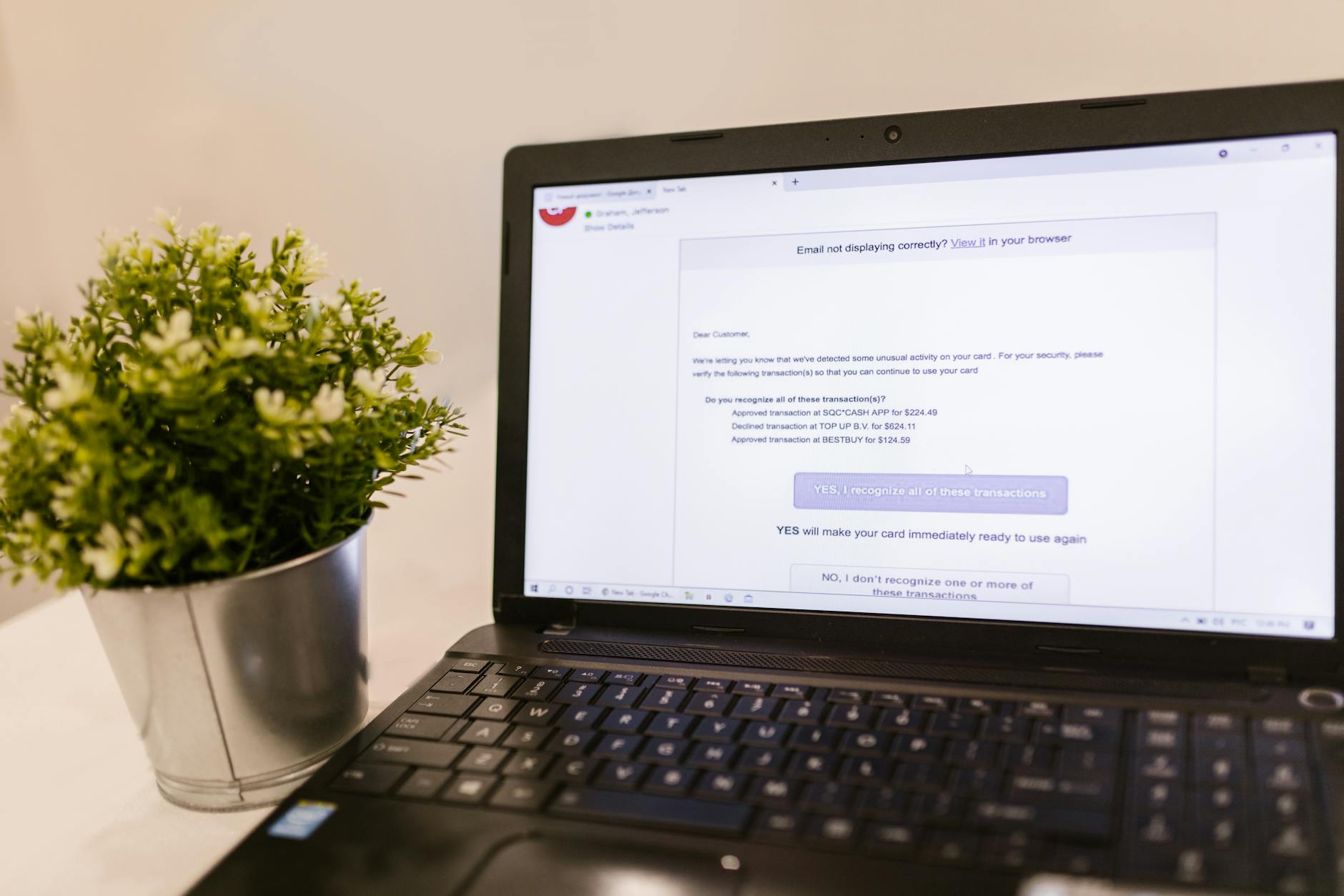
This threat operates entirely through deception rather than technical exploits. The criminals behind it count on human psychology—specifically greed and urgency—to convince victims to click malicious links, download infected attachments, or provide login credentials to fake payment portals. While the emails themselves don't contain executable malware in all cases, they serve as the delivery mechanism for various secondary threats including credential stealers, banking trojans, and ransomware payloads.
Threat Profile
| Attribute | Details |
|---|---|
| Threat Type | Phishing scam / Social engineering attack |
| Aliases | Dubai Pay scam, DubaiPay refund phishing, fake payment notification scam |
| Target Platform | All platforms (email-based, targets users rather than specific OS) |
| Distribution Method | Mass email campaigns, spoofed sender addresses, compromised email accounts |
| Primary Goal | Credential harvesting, financial fraud, malware distribution |
| Secondary Payloads | Varies—may include banking trojans, info-stealers, or ransomware depending on campaign |
| Typical Indicators | Unsolicited refund claims, grammatical errors, mismatched sender addresses, suspicious links |
| Urgency Tactics | Limited time claims, "act within 24/48 hours" language, threats of fund forfeiture |
| Fake Legitimacy Markers | Official-looking logos, reference numbers, fake legal disclaimers |
| Geographic Targeting | Worldwide, though some campaigns target specific regions based on sender spoofing |
| Detection Difficulty | Low for security software (email filters catch many variants), high for untrained users |
| Removal Necessity | Email deletion required; full malware scan needed if attachments opened or links clicked |
How It Spreads
The Dubai Pay refund scam spreads exclusively through email campaigns, with attackers sending thousands or millions of messages hoping to catch victims off-guard. These emails typically arrive unsolicited in your inbox appearing to come from payment processors, financial institutions, or international money transfer services. The sender addresses are often spoofed to look legitimate—something like "noreply@dubaipay-refunds.com" or even mimicking real company domains with slight misspellings (called "typosquatting"). In more sophisticated attacks, the criminals use compromised legitimate email accounts to send messages, which helps them bypass spam filters since the messages originate from previously trusted sources.
The scam emails follow predictable patterns designed to trigger quick action before critical thinking kicks in. They typically claim you're owed money—anywhere from a few hundred to several thousand dollars—due to an overpayment, failed transaction, or account adjustment. The email includes official-looking reference numbers, case IDs, and branded headers to create legitimacy. Most critically, they contain either malicious attachments (often labeled as "refund forms" or "claim documents") or links to fake websites designed to steal your information.
Common distribution vectors for this scam include:
- Mass spam campaigns sent to purchased or scraped email lists, hitting thousands of random recipients hoping a small percentage will bite
- Targeted attacks using information from data breaches to personalize messages with your name, location, or other details that increase believability
- Compromised business email accounts where attackers gain access to legitimate company email systems and send scams from trusted addresses
- Email spoofing that forges sender addresses to appear to come from known payment services or banks you may have accounts with
- Reply-chain hijacking where scammers inject themselves into existing email conversations after compromising one participant's account
- Social media and forum spam directing users to "check your email" for refund notifications after entering email addresses on fake registration pages
What It Does On Your Machine
The Dubai Pay scam itself is primarily an information-gathering operation rather than traditional malware, but the consequences of falling for it can range from identity theft to full system compromise depending on what action you take. If you simply delete the email without interaction, there's no direct system impact—the threat relies entirely on you clicking, downloading, or providing information. However, once you engage with the scam, several harmful scenarios can unfold.
If the email contains a malicious attachment that you open, you're potentially installing actual malware on your system. These attachments are commonly disguised as PDF documents, Microsoft Office files with macros, or ZIP archives containing executables. The payload varies by campaign but often includes information-stealing trojans that harvest saved passwords, browser cookies, cryptocurrency wallets, and FTP credentials. Banking trojans are also common, designed to intercept your online banking sessions and steal login credentials or modify transaction details. Some campaigns deliver ransomware as the final payload, encrypting your files and demanding payment—a particularly cruel irony when you were expecting to receive money, not lose it.
If the email contains links instead of attachments, clicking them typically takes you to a convincing fake website—a phishing page designed to look like a legitimate payment processor or bank. These pages prompt you to "verify your identity" or "confirm your account" before claiming your refund. Any information you enter—usernames, passwords, email addresses, phone numbers, credit card details, Social Security numbers, bank account information—goes directly to the criminals. They can then use these credentials to access your real accounts, make unauthorized purchases, open credit lines in your name, or sell your information on dark web marketplaces. Some phishing pages also attempt drive-by downloads, quietly installing malware while you're distracted by the fake form.
The information-stealing component operates silently in the background, scanning your system for valuable data. It searches browser password stores, email clients, FTP programs, and cryptocurrency wallet files. Modern stealers also capture screenshots, log keystrokes, and monitor clipboard content to catch any credentials you type manually. This stolen data gets packaged and transmitted to command-and-control servers, often encrypted or hidden within normal-looking web traffic to avoid detection. By the time you realize something's wrong, your credentials may have already been used to compromise multiple accounts.
Manual Removal — Step by Step
Disconnect from the Internet
Immediately disconnect your computer from all networks—unplug the Ethernet cable or disable Wi-Fi. This prevents any installed malware from communicating with command servers, exfiltrating more data, or receiving additional instructions. It also stops the infection from spreading to other devices on your network if you've picked up a worm component.
Change Critical Passwords from Another Device
Using a known-clean device (smartphone, tablet, or another computer), immediately change passwords for any accounts you accessed recently or that may be compromised—especially email, banking, payment services, and any account tied to financial information. Enable two-factor authentication wherever possible. Do not use the potentially infected computer for this step, as keyloggers may capture your new passwords.
Boot into Safe Mode with Networking
Restart your computer and boot into Safe Mode with Networking. On Windows 10/11, hold Shift while clicking Restart, then navigate to Troubleshoot > Advanced Options > Startup Settings > Restart, and select option 5 for Safe Mode with Networking. This loads only essential system files and drivers, preventing most malware from running while still allowing you to download security tools and updates.
Check and Remove Suspicious Startup Items
Open Task Manager (Ctrl+Shift+Esc), click the Startup tab, and look for unfamiliar entries, especially anything with random names, located in temporary folders, or that appeared recently. Right-click suspicious items and select Disable. Also open the Run dialog (Windows+R), type "shell:startup", and delete any suspicious shortcuts. Note the locations of any files you find for deletion in the next steps.
Scan with Reputable Anti-Malware Tools
Download and run comprehensive scans with both Malwarebytes and your primary antivirus software. Malwarebytes is particularly effective against info-stealers and trojans commonly associated with phishing scams. Run a full system scan rather than quick scan—this takes longer but ensures thorough detection. Quarantine or delete any threats found. If you can't download these tools because you're offline, use a clean device to download them to a USB drive, then transfer them.
Manually Remove Downloaded Files and Artifacts
Navigate to your Downloads folder and delete any files that came from the scam email. Check your %TEMP% folder (type %temp% in the Windows search or address bar) and delete recent files from the timeframe when you opened the attachment. If security software identified specific malware locations, navigate to those folders and delete them entirely. Empty your Recycle Bin when finished.
Check for Scheduled Tasks
Open Task Scheduler (search for it in the Start menu) and review the Task Scheduler Library for suspicious entries. Look for tasks with random names, created recently, running from %TEMP% or %APPDATA% folders, or pointing to unfamiliar executable files. Right-click and delete any suspicious tasks. Some malware creates multiple scheduled tasks as backup persistence mechanisms, so check thoroughly.
Reset Your Browsers
Some phishing-delivered malware installs browser extensions or modifies browser settings. Open each browser you use and reset it to defaults—this removes malicious extensions, resets your homepage and search engine, and clears potentially compromised cached credentials. In Chrome, go to Settings > Reset and clean up > Restore settings to their original defaults. Similar options exist in Firefox, Edge, and other browsers.
Monitor Financial Accounts and Credit
Even after removing malware, your information may have been stolen before you acted. Check your bank accounts, credit cards, and payment services daily for the next several weeks for unauthorized transactions. Consider placing a fraud alert or credit freeze with the three major credit bureaus (Equifax, Experian, TransUnion) to prevent new accounts being opened in your name. Review your credit reports for suspicious activity.
Reboot and Verify System Health
Restart your computer normally (not in Safe Mode) and monitor its behavior closely. Watch for unusual network activity, unexpected CPU usage, programs you don't recognize, or other suspicious behavior. Run another quick scan with your security software to confirm the system is clean. Reconnect to the internet and verify that your changed passwords work and that no unauthorized account access has occurred.
Prevention
- Verify unexpected payment notifications independently. If you receive an email claiming you're owed money from a service you don't recognize, don't click links in the email. Instead, manually type the official website address into your browser or call the company's verified customer service number. Legitimate refunds don't require immediate action through email links—the company will have record of any money owed to you.
- Scrutinize sender addresses carefully. Hover over the sender name to see the actual email address. Look for misspellings, extra characters, or suspicious domains (like "dubaipay-refunds.com" instead of a known legitimate domain). Remember that display names can be faked—the actual email address is what matters. Be especially suspicious of generic addresses like "noreply@" or "support@" from unfamiliar domains.
- Never download attachments from unsolicited emails. Legitimate payment processors rarely send money-related documents as email attachments, especially to people who aren't existing customers. If you must verify an attachment, scan it with VirusTotal or a similar service before opening. Be particularly wary of files with double extensions (.pdf.exe, .doc.exe) or office documents prompting you to "enable macros."
- Enable robust email filtering and security software. Use email services with strong spam filtering (Gmail, Outlook, etc. generally do well) and don't disable these filters. Install and maintain reputable antivirus software on all devices, keeping it updated. Many security suites now include phishing protection that warns you before visiting known malicious sites or opening dangerous attachments.
- Look for telltale phishing indicators. Poor grammar, awkward phrasing, and generic greetings ("Dear Customer" instead of your name) are red flags. Urgency tactics—claims that you must act within 24 hours or lose the money—are specifically designed to bypass critical thinking. Legitimate businesses give you time to respond and provide multiple ways to verify claims.
- Never provide sensitive information via email or unfamiliar websites. No legitimate company will ask you to send passwords, Social Security numbers, or complete financial information via email. Before entering credentials on any website, verify the URL is correct and that the site uses HTTPS (look for the padlock icon). Bookmark important financial sites and access them from bookmarks rather than email links.
- Educate everyone who uses your computers. Family members and employees need to recognize these scams too. Share examples of phishing emails, discuss the tactics scammers use, and establish a policy of verifying unexpected financial communications through independent channels. Many breaches happen because one person in the household or business falls for a convincing scam.
- Use unique passwords and two-factor authentication. Password reuse means one compromised credential can give attackers access to multiple accounts. Use a password manager to maintain unique strong passwords for every service. Enable two-factor authentication on all accounts that offer it—this means even if scammers steal your password, they can't access your account without the second factor (usually your phone).
Bring It In
If you've fallen victim to the Dubai Pay scam or any similar phishing attack, don't try to handle it alone if you're not confident in your technical abilities. The consequences of incomplete removal—leaving behind components that continue stealing your data or maintaining backdoor access—can be far more costly than professional remediation. At Computer Repair Roswell, we've handled hundreds of phishing-related infections and know exactly where these threats hide, what secondary payloads they commonly install, and how to verify your system is genuinely clean rather than just appearing to be.
We're located right here in Roswell, Georgia, and we work on both PCs and Macs. Call us at (770) 974-5584 to describe what happened—we can often give you immediate guidance over the phone about urgent steps like securing your financial accounts. For complete removal and system verification, bring your computer to our shop. We'll scan for malware, remove any infections, verify your system integrity, and help you understand what information may have been compromised so you know what accounts to monitor and what steps to take for identity protection. Don't gamble with your financial security—get professional help and peace of mind.