The 'cPanel Warning - Account Shutdown' email scam is a phishing campaign that impersonates cPanel, the widely-used web hosting control panel software trusted by millions of website owners and hosting providers. These fraudulent emails claim your hosting account will be suspended or shut down due to alleged policy violations, quota issues, or payment problems, creating a false sense of urgency to trick you into clicking malicious links or surrendering your credentials. Unlike traditional malware that infects your computer directly, this threat operates through social engineering—manipulating you into voluntarily handing over sensitive information or downloading malicious payloads disguised as "account verification" tools.
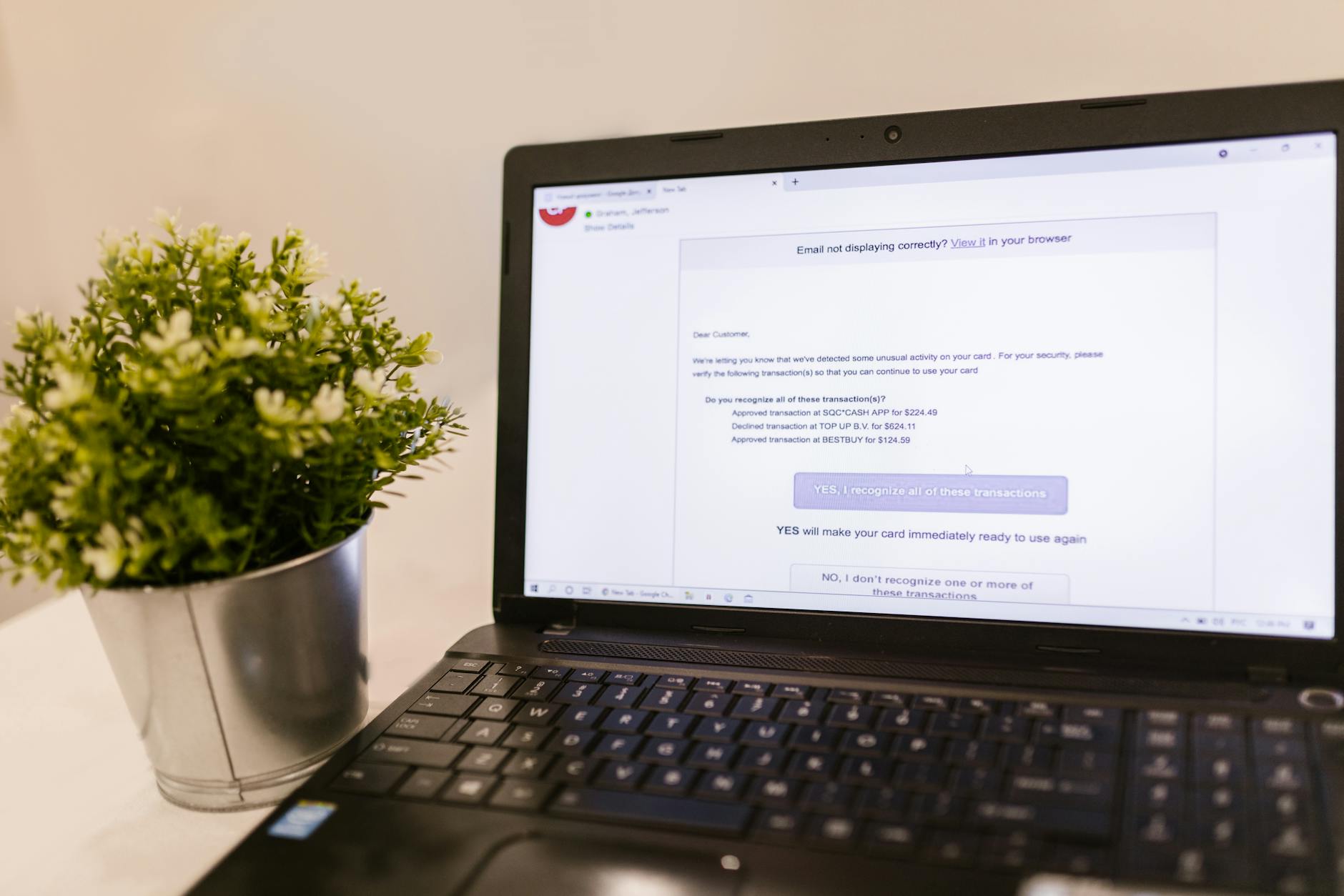
While the email itself doesn't contain executable malware, the danger lies in what happens when you interact with it. Clicking the embedded links typically leads to convincing fake login pages designed to harvest your cPanel credentials, email passwords, FTP credentials, and sometimes even credit card information. In some variants, the linked sites attempt drive-by downloads of information-stealing trojans or redirect you through multiple compromised domains to evade detection. Website administrators and small business owners who manage their own hosting are particularly vulnerable, as compromised cPanel accounts can lead to website defacement, data theft, malware distribution to site visitors, and complete loss of web presence.
Threat Profile
| Attribute | Details |
|---|---|
| Threat Type | Phishing scam, credential harvesting, social engineering attack |
| Aliases | "cPanel Account Suspension", "cPanel Security Alert", "Urgent cPanel Verification Required" |
| Target Platform | Email clients (all operating systems), primarily targets website administrators and hosting customers |
| Distribution Method | Mass email campaigns, spoofed sender addresses, compromised email servers |
| Primary Goal | Credential theft (cPanel logins, FTP credentials, email passwords), secondary malware delivery |
| Impersonated Entity | cPanel LLC, various hosting providers (GoDaddy, Bluehost, HostGator, etc.) |
| Urgency Tactics | 24-48 hour deadlines, immediate account suspension threats, alleged security breaches |
| Phishing Page Sophistication | Moderate to high; often mirrors legitimate cPanel login interfaces with copied branding |
| Secondary Payload Risk | Some variants deliver info-stealers (RedLine, Vidar, AgentTesla) or remote access trojans |
| Technical Indicators | Mismatched sender domains, generic greetings, poor grammar, suspicious URL domains, lack of personalization |
| Detection by Email Filters | Moderate; sophisticated campaigns may bypass basic spam filters |
| Credential Exposure Risk | Severe; compromised cPanel accounts provide full hosting control |
How It Spreads
The 'cPanel Warning - Account Shutdown' scam spreads exclusively through email, with attackers casting a wide net across business and personal email addresses harvested from data breaches, website WHOIS records, and purchased email lists. The campaigns often target email addresses that appear to be associated with domain ownership or website administration, though they'll also hit generic addresses hoping to catch hosting customers off guard. Scammers employ email spoofing techniques to make the sender address appear to come from legitimate cPanel domains or well-known hosting providers, though examining the full email headers typically reveals the true source is a compromised email server, a free webmail account, or a temporary domain registered specifically for the campaign.
These phishing emails are designed to trigger immediate action through artificial urgency. Subject lines like "URGENT: cPanel Account Will Be Suspended in 24 Hours" or "Action Required: Verify Your cPanel Account to Avoid Shutdown" exploit the fear of losing web presence and business continuity. The email body typically contains professional-looking formatting with copied cPanel logos and color schemes, making them appear legitimate at first glance. However, closer inspection often reveals generic greetings ("Dear Customer" instead of your actual name), grammatical inconsistencies, and vague descriptions of the alleged problem that never reference your actual domain name or account specifics.
Distribution vectors and infection pathways include:
- Direct phishing links: Emails contain buttons or hyperlinks labeled "Verify Account Now" or "Resolve Issue" that lead to fake login pages hosted on compromised websites, free hosting services, or newly-registered domains with names designed to look legitimate (cpanel-secure-login[.]com, verify-cpanel[.]net, etc.)
- HTML attachment scams: Some variants include HTML file attachments that, when opened, display a fake cPanel login form that submits credentials directly to the attacker's server
- Secondary malware delivery: Links may first verify you're a real user clicking through, then redirect to drive-by download sites that exploit browser vulnerabilities or trick you into downloading "security verification tools" that are actually trojans
- Reply-to manipulation: Email addresses in the reply-to field differ from the sender address and lead to attacker-controlled accounts where further social engineering occurs
- Compromised website redirects: Some campaigns inject redirect code into legitimate but vulnerable websites, so clicking the link takes you through several hops before landing on the phishing page
- Follow-up campaigns: If you interact with the initial email without completing the scam, attackers send increasingly urgent follow-up messages, sometimes impersonating "account security teams" or offering "phone support" numbers
What It Does On Your Machine
The primary danger of the 'cPanel Warning - Account Shutdown' scam occurs not on your computer itself but through the information you voluntarily provide when falling for the deception. When you click the phishing link and enter your credentials on the fake login page, that information is immediately transmitted to the attacker's server—typically in real-time, allowing them to access your actual cPanel account within minutes. Once inside your hosting control panel, attackers can view all your website files, databases, email accounts, FTP credentials, and billing information. This level of access allows them to deface your website, inject malicious code that infects your visitors, steal customer data from your databases, send spam from your email accounts, or hold your entire web presence for ransom.
In some more sophisticated variants, the phishing page performs what's called a "real-time man-in-the-middle" attack. After you enter your credentials, the page may briefly display a "verifying" animation while the attacker's automated system actually logs into your real cPanel account using your credentials, bypasses any two-factor authentication by capturing your 2FA codes if you enter them, modifies security settings to ensure continued access, then redirects you to either the legitimate login page or a fake error message. You might not even realize anything went wrong until days or weeks later when you notice unauthorized changes to your website or receive notifications about suspicious activity from your hosting provider.
Beyond credential theft, clicking these phishing links can compromise your computer if the linked sites employ secondary attack vectors. Some campaigns redirect through exploit kit infrastructure that probes your browser for vulnerabilities in outdated plugins like Flash, Java, or PDF readers. If successful, these exploits can install information-stealing trojans without any further action on your part. Other variants present convincing fake "security scanners" or "cPanel verification tools" that are actually malware downloaders. Once executed, these payloads commonly deploy credential-stealing malware that monitors your clipboard, captures keystrokes, screenshots login forms, and exfiltrates saved passwords from browsers—extending the damage far beyond just your hosting account to potentially include banking credentials, business email accounts, and other sensitive information.
Manual Removal — Step by Step
Assess What You Interacted With
Before taking remediation steps, determine exactly what you did: Did you only open the email? Did you click a link but not enter information? Did you enter credentials? Did you download or run any files? Your response strategy depends on your level of interaction. If you merely opened the email without clicking anything, your risk is minimal. If you clicked but didn't submit information, proceed with caution but focus on system scanning. If you entered credentials or downloaded files, treat this as a confirmed compromise requiring immediate action across all systems.
Immediately Change All Hosting-Related Credentials
From a device you're confident hasn't been compromised (ideally a different computer or your smartphone), log into your hosting provider's account management system using credentials from your original signup paperwork—not from any links in the suspicious email. Change your cPanel password, hosting account master password, FTP/SFTP passwords, email account passwords, and database passwords. Enable two-factor authentication if your provider offers it. If you use the same or similar passwords elsewhere, change those immediately too. Contact your hosting provider's actual support line to report the incident and ask them to review your account for suspicious access or modifications.
Disconnect From the Internet and Boot to Safe Mode
If you downloaded or ran any files from the phishing site, disconnect your computer from the internet by unplugging the Ethernet cable or disabling Wi-Fi to prevent any installed malware from communicating with its command server or exfiltrating additional data. Restart your computer in Safe Mode with Networking (press F8 during boot on older Windows systems, or hold Shift while clicking Restart on Windows 10/11, then navigate to Troubleshoot → Advanced Options → Startup Settings → Restart → press 4 for Safe Mode with Networking). This prevents most malware from loading automatically while still allowing you to download security tools.
Run Comprehensive Malware Scans
Download and install Malwarebytes (the free version is sufficient) and perform a full system scan—not a quick scan. This may take 45-90 minutes depending on your drive size. Quarantine and remove everything it finds. Follow up with a scan using your existing antivirus software if you have one, ensuring it's fully updated first. Consider running a second-opinion scanner like HitmanPro or Emsisoft Emergency Kit. These tools specifically target information-stealing trojans and keyloggers that often accompany phishing campaigns. Don't skip this step even if you "only clicked a link"—some exploits require no further user action.
Check for Persistence Mechanisms Manually
Open Task Manager (Ctrl+Shift+Esc) and review the Processes tab for anything unfamiliar, particularly processes with random names or located in unusual folders like AppData. Check the Startup tab for suspicious entries. Open Registry Editor (type regedit in the Start menu) and navigate to HKEY_CURRENT_USER\Software\Microsoft\Windows\CurrentVersion\Run and HKEY_LOCAL_MACHINE\Software\Microsoft\Windows\CurrentVersion\Run—look for entries you don't recognize, especially those pointing to executable files in temporary directories or AppData folders. Open Task Scheduler and review scheduled tasks for anything created recently that you didn't authorize.
Inspect and Clean Your Website Files
If your cPanel credentials were compromised, log into your hosting control panel (after changing passwords) and review your website files for unauthorized modifications. Look particularly in your site's root directory, wp-content folders (for WordPress sites), and any publicly-writable directories for unfamiliar PHP files, especially ones with suspicious names like "c99.php", "shell.php", or random character strings. Check file modification dates for recent changes you didn't make. Review your File Manager's hidden files setting to reveal files starting with dots. If you're uncomfortable doing this yourself, contact your hosting provider's support team—many offer free malware scanning and cleaning services for compromised accounts.
Review Email Account and Access Logs
In your cPanel, check the "Email Accounts" section and verify no unauthorized email addresses have been created—attackers often add hidden accounts to maintain access. Review your email forwarders to ensure your messages aren't being secretly copied elsewhere. Navigate to the "Logs" or "Metrics" section of cPanel and examine the "Access Logs" and "Error Logs" for suspicious activity patterns, particularly accesses from unfamiliar IP addresses or countries where you don't operate. Look for bulk file downloads or modifications that coincide with the timeframe after you entered your credentials.
Reset Browser Settings and Clear Stored Credentials
The phishing interaction likely occurred through your web browser, which may now contain traces of the malicious site or stored credentials that malware could access. In your browser settings, clear all browsing data including cookies, cached images, and autofill data from the time period when you interacted with the phishing email. Review your saved passwords and remove any that were saved during the incident. Consider resetting your browser to default settings if you notice unusual behavior like unexpected redirects or new toolbars. Check your browser extensions and remove anything you don't recognize or didn't intentionally install.
Change Passwords for Associated Services
Beyond your hosting credentials, change passwords for any services connected to your website or hosting account. This includes payment processors integrated with your site, domain registrar accounts, SSL certificate provider accounts, backup service accounts, and any third-party services that authenticate through your website. If you used similar passwords for email accounts, cloud storage, or business services, change those as well. Use unique, complex passwords for each service going forward, and consider implementing a password manager to maintain different credentials across all platforms.
Reboot, Verify, and Monitor
After completing the removal steps and changing all relevant passwords, restart your computer normally (not in Safe Mode) and observe its behavior. Verify your antivirus is active and up-to-date. Test your internet connection speed and responsiveness—malware often causes noticeable slowdowns. For the next several weeks, monitor your website for unexpected changes, review your hosting account access logs regularly, watch your bank and credit card statements for unauthorized charges, and stay alert for signs your email address is being used in spam campaigns. Set up security notifications in your hosting panel if available, so you're immediately alerted to login attempts or changes to your account.
Prevention
- Verify sender authenticity before clicking any links: Never click links in unexpected emails claiming to be from your hosting provider. Instead, open a new browser tab and manually navigate to your hosting provider's website using bookmarks or by typing the address yourself, then log in to check for any legitimate notifications. Examine the sender's email address carefully—legitimate cPanel notices come from your specific hosting provider, not from generic "cPanel" addresses, and the domain after the @ symbol should exactly match your provider's official domain.
- Learn to recognize urgency-based social engineering: Legitimate hosting providers rarely threaten immediate account suspension without prior warnings and detailed explanations. They'll typically send multiple notices over days or weeks, provide specific information about your account (your domain name, account number, etc.), and offer direct customer support phone numbers you can verify independently. Be especially suspicious of emails with 24-48 hour deadlines, generic greetings, or vague descriptions of problems that don't mention your specific services.
- Enable two-factor authentication everywhere possible: Configure 2FA on your hosting account, cPanel login, domain registrar, and email accounts. This adds a critical second layer of protection—even if attackers steal your password through phishing, they can't access your account without the second authentication factor. Use authenticator apps like Authy or Google Authenticator rather than SMS-based 2FA when possible, as SMS can be intercepted through SIM-swapping attacks.
- Maintain separate, complex passwords for all services: Never reuse passwords across different services, especially between your hosting account and other platforms. Use a password manager like Bitwarden, 1Password, or LastPass to generate and store unique 16+ character passwords combining uppercase, lowercase, numbers, and symbols for each account. This containment strategy ensures that even if one set of credentials is compromised, attackers can't use them to access your other accounts.
- Keep your systems and software updated: Ensure your operating system, web browser, and all plugins are set to update automatically or check for updates weekly. Many phishing campaigns combine credential theft with exploit delivery—outdated software provides attackers additional pathways to compromise your system. This applies equally to your local computer and any content management systems (WordPress, Joomla, etc.) running on your web hosting.
- Implement email filtering and authentication: Configure SPF, DKIM, and DMARC records for your domain to prevent attackers from easily spoofing emails that appear to come from your domain. Use your email provider's spam filtering features and configure them to quarantine suspicious messages rather than delivering them directly to your inbox. Consider business-grade email security solutions if you manage critical web infrastructure, as these provide advanced phishing detection that consumer email services may lack.
- Regularly backup your website and databases: Maintain automated daily or weekly backups of your website files and databases stored in a location separate from your hosting account—either through your hosting provider's backup service or a third-party solution. Verify these backups work by occasionally testing restoration to a staging environment. If your account is compromised and your site is defaced or damaged, clean backups allow quick recovery without paying ransom or rebuilding from scratch.
- Educate everyone with account access: If multiple people have access to your hosting account, email accounts, or website administration, ensure they're all trained to recognize phishing attempts. Create a company policy requiring verification of any unexpected security-related emails through a separate communication channel. One person clicking a phishing link can compromise your entire web presence, so security awareness training should be part of onboarding for anyone handling these credentials.
Bring It In
If you've fallen victim to the 'cPanel Warning - Account Shutdown' scam or any similar phishing attack, don't wait to see how bad the damage might be. Compromised hosting credentials can lead to cascading problems that extend far beyond your website—from stolen customer data to your business email being used in spam campaigns to malware being distributed to your visitors, potentially devastating your reputation and exposing you to liability. The sooner you get professional help, the faster we can contain the damage and prevent it from spreading to other systems or accounts. Bring your computer to Computer Repair Roswell at 1322 Hembree Rd, Roswell, GA, and we'll perform a comprehensive security assessment, remove any malware that may have been delivered alongside the phishing attack, verify your passwords haven't been harvested by keyloggers, and help you secure your hosting account.
Our technicians have extensive experience with phishing-related compromises and understand the unique challenges they present—this isn't just about cleaning malware off your computer; it's about securing your entire online presence. We can coordinate with your hosting provider if needed, help you review your website for unauthorized changes, verify your email accounts haven't been compromised, and implement proper security measures to prevent future attacks. We're located right here in Roswell, just minutes from Alpharetta and Sandy Springs, and we offer same-day appointments for urgent security situations. Call us at (770) 695-6210 to schedule an appointment, or stop by during business hours—we'll get you back online securely and help you understand what happened so you're better protected going forward. Your website and data are too important to leave vulnerable; let us handle the technical details while you focus on running your business.